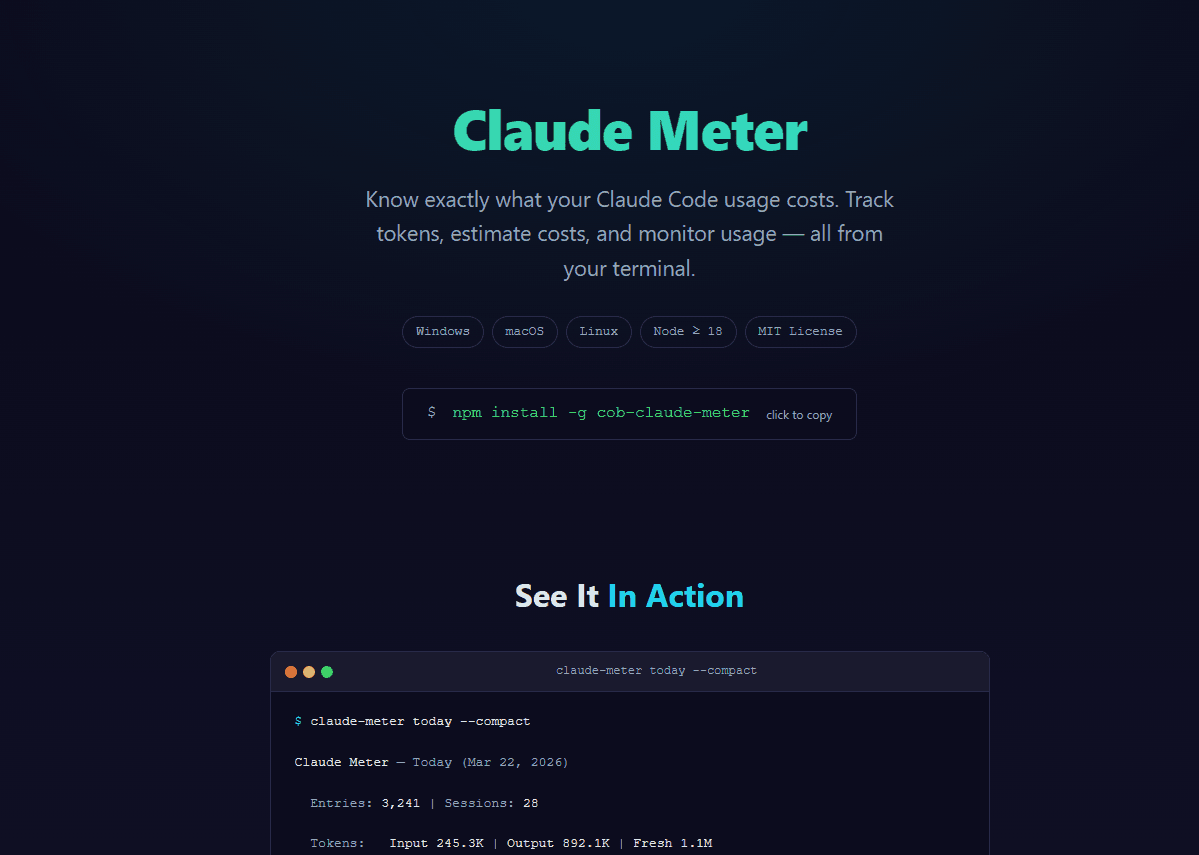
Call O Buzz Services has released COB Claude Meter, a free, open source CLI tool for tracking Claude Code token usage and estimating costs. It reads your local Claude Code session data, breaks down token consumption across Opus, Sonnet, and Haiku models, and gives you exact cost estimates with cache breakdowns — all from your terminal.
The project is available on GitHub and npm under the MIT license.
Why We Built This
Claude Code is a powerful tool, but there is no built-in way to see how many tokens you have used or what your sessions are costing. If you use Claude Code daily for development work, this lack of visibility adds up. You might hit your usage limits unexpectedly, or have no idea whether a particular session was token-efficient.
We built COB Claude Meter to answer three simple questions:
- How many tokens did I use? — broken down by model (Opus, Sonnet, Haiku)
- What did it cost? — with exact pricing including cache read and cache write rates
- What is happening right now? — real-time monitoring of active sessions
The tool runs 100% locally, reads only your existing Claude Code session files, and sends nothing to any external server.
Key Features
Token Tracking Across All Models
COB Claude Meter reads your Claude Code session data and reports token usage per model:
- Claude Opus — input tokens, output tokens, cache reads, cache writes
- Claude Sonnet — same breakdown
- Claude Haiku — same breakdown
Each model has different pricing tiers, and cached tokens cost significantly less than fresh tokens. The tool tracks all of this separately so you get accurate cost estimates, not rough guesses.
Cost Estimation with Cache Breakdowns
The cost calculation uses exact Anthropic pricing and distinguishes between:
- Regular input tokens
- Cache read tokens (cheaper)
- Cache write tokens (more expensive)
- Output tokens
This matters because Claude Code uses caching heavily. A session that shows 500K input tokens might actually cost far less than you expect because most of those tokens were cache reads. COB Claude Meter shows you the real numbers.
Live Watch Mode
Run cob-claude-meter --watch to monitor your Claude Code usage in real-time. The display updates as new tokens are consumed, so you can see the impact of each interaction as it happens. This is useful during long coding sessions where you want to keep an eye on consumption.
Claude Code Statusline Integration
COB Claude Meter integrates directly with Claude Code's statusline feature. Add it to your Claude Code configuration and see your token usage right in the status bar while you work — no separate terminal window needed.
JSON Output
For scripting and automation, use --json to get structured output. Pipe it into other tools, log it, or build your own dashboards on top of the data.
Getting Started
Install globally from npm:
npm install -g cob-claude-meter
Then run it:
# See usage summary
cob-claude-meter

# Watch mode - real-time updates
cob-claude-meter --watch

# JSON output for scripting
cob-claude-meter --json
Zero configuration needed. The tool automatically finds your Claude Code session data on macOS, Linux, and Windows.
Technical Stack
| Technology | Purpose |
|---|---|
| TypeScript | Type-safe codebase |
| Node.js | Runtime |
| Commander | CLI argument parsing |
| Chalk | Terminal formatting and colours |
The project is deliberately lightweight — minimal dependencies, fast startup, and no background processes. It reads your session files, computes the numbers, and displays them.
Who Is This For
- Developers using Claude Code who want visibility into their token usage
- Teams managing Claude Code budgets who need usage tracking across projects
- Anyone hitting usage limits who wants to understand which sessions consume the most tokens
If you use Claude Code regularly, COB Claude Meter gives you the numbers you need to use it more effectively.
Check out the full repository: github.com/callobuzz/cob-claude-meter
Visit our open source page to explore all projects from Call O Buzz Services, including COB Shopify MCP — our 49-tool MCP server for AI-powered Shopify management. Browse our blog for technical articles, or get in touch if you have questions.